2026 Best Industrial Personal Computer for Global Buyers
Choosing the 2026 best Industrial Personal Computer requires more than comparing processor speed or purchase price. Global buyers need dependable computing in factories, warehouses, energy facilities, and transport systems. Dust, vibration, heat, unstable networks, and limited maintenance access can quickly expose weak designs.
This guide examines industrial PCs through practical buying criteria. It considers processing performance, fanless cooling, enclosure strength, display compatibility, expansion options, storage reliability, and long-term availability. It also reviews operating temperature ranges, power input flexibility, remote management, cybersecurity features, and manufacturer support. A computer that runs smoothly in a clean office may struggle beside a production line.
Real-world details matter. A sealed enclosure can reduce dust entry, while wide-voltage input can simplify deployment across different regions. However, specifications require careful verification. Product names may sound similar, but their temperature ratings, port layouts, and warranty terms can differ significantly. Local installation conditions must be checked.
No single model fits every plant.
The evaluation also considers total ownership cost, including installation, replacement parts, software compatibility, and technical training. A cheaper unit may become expensive when downtime interrupts production. Conversely, an advanced system may exceed the needs of a small monitoring station. This guide aims to provide balanced, evidence-based direction rather than a universal verdict. Some recommendations may need further testing under actual workloads. That limitation is important. Global buyers should confirm certification requirements, network standards, service coverage, and lifecycle policies before ordering. Through a practical and transparent comparison, this article helps decision-makers select an Industrial Personal Computer with greater confidence in 2026.
Definition and Role of Industrial Personal Computers in 2026
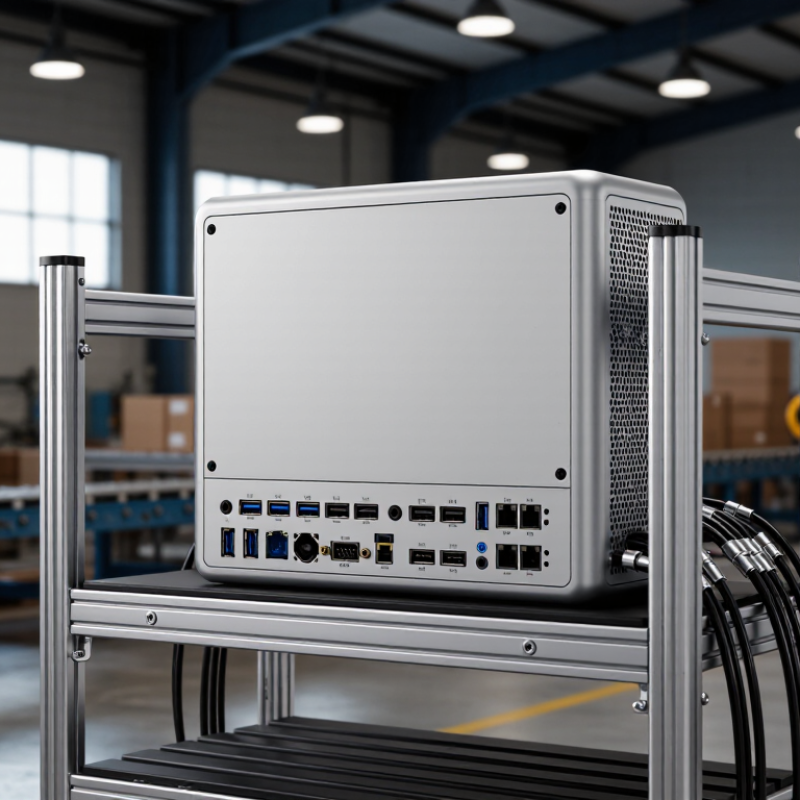
In 2026, an industrial personal computer is a rugged computing platform built for continuous operation in demanding workplaces. It combines industrial-grade components, stable firmware, extended service support, and interfaces for factory equipment. Unlike an office desktop, it may operate beside a cutting machine, inside a control cabinet, or near a dusty loading line. Its role is practical. It collects sensor data, runs local software, displays operator instructions, and communicates with supervisory systems.
A modern unit often supports edge processing, allowing machines to react without sending every signal to a remote server. That matters when network delays could interrupt inspection, motion control, or temperature monitoring. Fanless cooling, wide-voltage input, shock resistance, and multiple expansion ports can improve reliability. Yet specifications alone do not prove suitability. I have seen systems fail because a well-rated computer lacked the correct connector. Heat inside a sealed enclosure caused another problem.
For global buyers, evaluation should include operating temperature, certification needs, cybersecurity updates, repair access, and total ownership cost. A dependable supplier should provide clear test records, lifecycle information, and realistic response times. The best choice depends on the process, not the highest processor score. Industrial computing is becoming more capable, but it is not maintenance-free. Dust, outdated drivers, and rushed installation still create avoidable failures. That uncomfortable detail deserves attention.
Industrial Environments, Applications, and Industry Requirements
The 2026 best industrial personal computer is defined by its working environment, not by processor speed alone. Factory floors may expose equipment to dust, vibration, oil mist, and electrical noise. A reliable system needs a sealed enclosure, wide-temperature operation, and stable performance during long shifts. Fanless cooling can reduce dust intake, although it may limit peak processing capacity.
Different applications create different demands. A machine-vision station needs fast image processing, multiple display outputs, and dependable camera connectivity. A production-line controller requires real-time communication, isolated industrial ports, and predictable response times. In warehouses, compact computers support barcode scanning, fleet management, and digital work instructions. Outdoor installations need readable displays, surge protection, and resistance to moisture.
Global buyers should check voltage tolerance, mounting options, service access, and regional compliance documentation. Long product availability also matters because replacing a computer can interrupt validated equipment. In field testing, small details often decide reliability, such as connectors loosening under vibration or storage failing after repeated power cycles. No design fits every site. Engineers sometimes overestimate computing needs and underestimate heat, cable routing, or maintenance access. Careful testing under actual loads remains essential.
Global Compliance, Connectivity, and Lifecycle Considerations
For global buyers, the best 2026 industrial personal computer must prove more than processing speed. It should support IEC 62443-based security practices, secure boot, signed firmware, and controlled user access. Regional approvals also matter. Keep CE, FCC, UKCA, and safety test records together. A missing certificate can delay installation for weeks.
Connectivity deserves equal attention. IoT Analytics reported 18.8 billion connected IoT devices in 2024. Industrial computers now meet more sensors, cameras, and gateways than before. Choose dual Ethernet, isolated serial ports, Wi-Fi 6 or newer, and protocol support for existing control systems. Check time synchronization, remote diagnostics, and network segmentation. In real projects, one overlooked port can force an expensive redesign. I have seen “universal” connectivity become limited after deployment.
Tips: Request a five-year availability statement, not only a warranty. Ask for tested operating-temperature curves, vibration results, and replacement procedures. Compare TPM support, secure update methods, and mean time to repair. The 2024 Deloitte Smart Manufacturing survey found that 86% of manufacturers view smart manufacturing as important for competitiveness. That ambition can expose weak lifecycle planning. A ten-year factory asset should not depend on a two-year software promise. Save configuration images and spare-unit records locally. Planning is imperfect, but undocumented assumptions fail fastest.
How to Compare and Select the Best Model for Your Operation
Selecting the best industrial personal computer requires more than comparing processor speed. Your operating environment comes first. Check temperature, vibration, dust, humidity, and available cabinet space. A factory floor may demand fanless cooling, sealed connectors, and wide-voltage input. A warehouse terminal may need stronger wireless performance instead.
The International Data Corporation reported that global edge-computing spending would exceed 230 billion US dollars in 2024. This growth increases demand for local processing and dependable uptime. Deloitte’s 2024 Smart Manufacturing survey found that 86% of manufacturing leaders viewed smart operations as important for competitiveness. These figures support local computing, but they do not justify buying the most powerful unit. Compare sustained performance, memory capacity, storage endurance, and required I/O ports. A high benchmark score can mislead. Real workloads matter more.
Tips: Create a comparison sheet before contacting suppliers. Record operating temperature, mounting method, display outputs, serial ports, network requirements, and expected service life. Check certifications required in each destination market. Ask for lifecycle policies, repair procedures, and firmware security updates. Independent testing data is useful, but field experience still matters. If the computer controls a camera, sensor, or production interface, test the complete setup under heat and vibration. Leave expansion room. Specifications often look generous until the first upgrade.