How to Choose the Best Server Rack PDU in 2026?
A rack can look orderly while hiding an overloaded circuit, an awkward outlet layout, or a power feed with no room to grow. Choosing a Server Rack Pdu in 2026 is therefore more than matching a unit to a rack’s width. It means checking load, voltage, phase, connector type, outlet count, monitoring needs, and the facility’s actual power path. Small details matter. A blocked rear outlet can turn a routine replacement into a maintenance problem.
The International Energy Agency’s Electricity 2024 report estimated that data centres, AI, and cryptocurrency together used about 460 TWh of electricity in 2022. It projected that demand from these sectors could exceed 1,000 TWh by 2026. IEA Executive Director Fatih Birol said, “The electricity consumption of data centres, AI and cryptocurrency could double by 2026.” That forecast is not a rack-level sizing guide, but it makes capacity planning harder to ignore. A PDU that suits today’s servers may not suit tomorrow’s higher-density equipment.
This guide compares basic and metered models, switched control, phase options, outlet layouts, and management features. It also explains what to verify before ordering: input plugs, branch-circuit limits, rack depth, airflow clearance, and compatibility with existing monitoring systems. No specification sheet can predict every retrofit. That is worth admitting. The best choice is the one that fits measured loads, supports safe operations, and leaves a practical path for change—not simply the model with the most features.
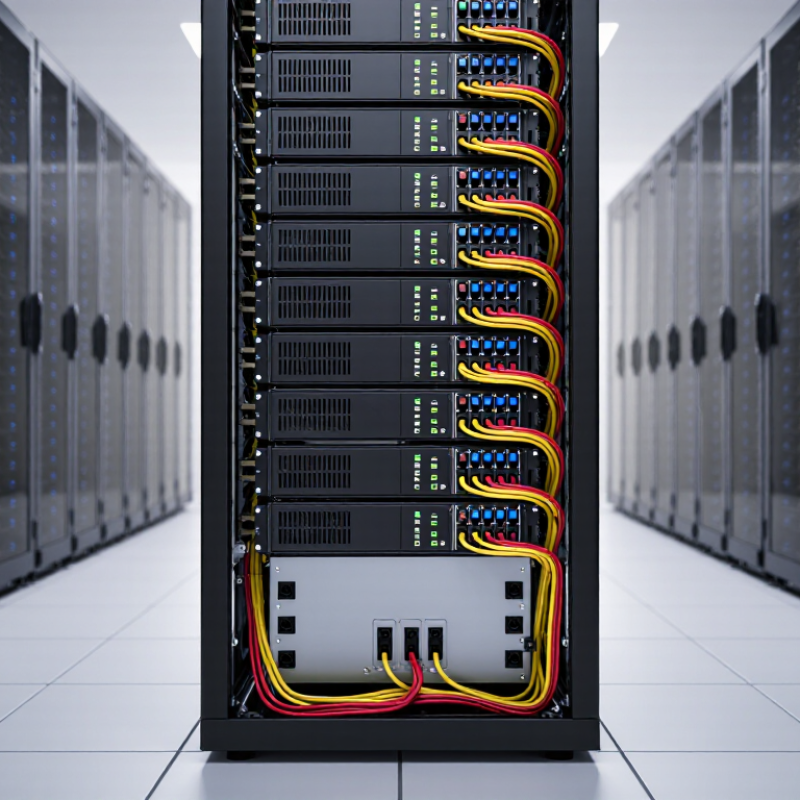
Understand Server Rack PDU Types and Your Power Requirements
How to Choose the Best Server Rack PDU in 2026?
Choosing a server rack PDU starts with understanding the load, not counting outlets. A basic PDU distributes power; metered models display current locally, while monitored models send readings to management systems. Switched units allow individual outlets to be controlled remotely. That can help with recovery, but adds setup and security considerations. Keep the choice practical.
List each device’s rated input, then estimate the rack’s total demand on each power feed. Check voltage, phase, plug type, outlet count, and cord reach. A server with a high-power supply may need a different connection than a network switch. Check the PDU’s input rating and operating limits against equipment documentation. Allow headroom for growth and startup demand. Exact needs can be easy to misjudge.
Tips: Map outlets before installation. Label both ends of every power cord. Compare the expected load with measured readings after deployment, and revisit the plan when equipment changes. A little extra capacity can help, but oversized equipment may bring avoidable cost and complexity.
Calculate Rack Load, Capacity, and Power Distribution Needs
How to Choose the Best Server Rack PDU in 2026?
Calculate Rack Load, Capacity, and Power Distribution Needs
A suitable rack PDU starts with a realistic load estimate. List every server, switch, storage unit, and other device in the rack. Record each unit’s input voltage and maximum wattage, then compare those figures with measured peak demand when possible. Idle readings can be misleading. Small errors add up. For single-phase power, estimate current by dividing watts by voltage and power factor. Three-phase systems require a different calculation, so verify the supply details before selecting equipment. Keep the PDU and circuit within their rated limits, with room for growth and brief load spikes.
Plan distribution as carefully as total capacity. Count the outlets you need, check plug types, and consider cord reach from each device to the PDU. Spread connected loads across available circuits rather than crowding one side. For redundant A/B feeds, check that either feed can support the critical equipment if the other fails; don’t assume their capacities can simply be combined. Actual draw may change after deployment, so leave space for new devices.
Tips: Measure, don’t guess. A metered reading during a busy period can expose a gap between estimated and real demand. Keep a simple outlet map beside the rack, and review it after equipment changes. It’s easy to overlook a small switch or a newly added appliance.
How to Choose the Best Server Rack PDU in 2026?
Compare the example rack load with the estimated continuous-load capacity of common single-phase PDU circuits.
A common sizing check for continuous loads is to use 80% of a circuit’s rated voltage and current. Estimated capacity is calculated as volts × amps × 0.8: for example, a 208 V, 20 A circuit provides about 3.33 kW. Confirm local electrical requirements, actual peak rack load, phase balance, and any redundancy needs before selecting a PDU.
Compare Input Connections, Outlet Types, and Outlet Counts
How to Choose the Best Server Rack PDU in 2026?
Compare Input Connections, Outlet Types, and Outlet Counts
Start with the rack’s power feed, not the outlet list. Check the facility voltage, phase, amperage, and connector type against the PDU input and upstream circuit. A mismatch can make a capable PDU unusable. Uptime Institute’s 2024 Global Data Center Survey reported an average rack density of about 8.2 kW, a useful reminder that load planning matters. Yet averages hide local peaks. Calculate the expected load for each rack, including switches and storage, then leave room for growth.
Match outlets to actual equipment plugs. C13 outlets commonly serve standard IT devices, while higher-power equipment may need C19 outlets. Confirm each device’s plug, cord length, and power-supply arrangement before ordering. For servers with two power supplies, plan separate A and B feeds where the facility supports them. Count outlets on each PDU, not just across the pair; an uneven split can leave one side short. No plan is perfect. I would recheck the count against a rack elevation before purchase.
Tips: Make a simple table with device, plug type, quantity, and feed assignment. Include a few spare outlets, but verify that the circuit can support the added load. Don’t assume a higher outlet count means more usable power. Check the PDU’s rated current and the upstream breaker together.
Assess Monitoring, Remote Control, Safety, and Reliability Features
How to Choose the Best Server Rack PDU in 2026?
A server rack PDU should show more than total power use. Look for per-outlet readings, clear alarms, and a dashboard that updates promptly. Compare current, voltage, and energy data with the equipment your rack actually needs. Check whether alerts can reach staff by email or text, and whether event logs help trace brief overloads. Useful monitoring should make a problem easier to locate, not bury it in graphs.
Remote control can save a trip to a locked equipment room, but it needs careful safeguards. Confirm that outlets can be switched individually and that access can be limited to authorized users. For safety, check overload protection, outlet ratings, grounding, and temperature limits against your installation requirements. Reliability depends on more than a claimed lifespan: review operating conditions, maintenance needs, and what happens after a network interruption. A polished interface is not proof of dependable hardware. That matters.
Tips: Test alerts and remote switching before relying on them during an outage. Confirm that restarting one outlet will not interrupt connected equipment unexpectedly. Keep a simple record of load levels and alarm events; it may feel tedious, but it helps reveal gradual changes.
Check Rack Compatibility, Redundancy, Installation, and Future Expansion
How to Choose the Best Server Rack PDU in 2026?
Start with the rack, not the feature list. Check the PDU’s mounting style, height, depth, and outlet orientation against your cabinet. A vertical unit may preserve valuable rack space, but only if cables clear the doors and airflow paths. Match plug types and voltage to the equipment already installed. Then estimate the expected load, including startup demand, rather than relying on a rough outlet count. Measure twice.
Redundancy needs more than two PDUs. For dual-powered servers, connect each power supply to a separate PDU and, where available, separate upstream circuits. Confirm that either path can support the critical load during maintenance or failure. A pair of units on one overloaded circuit is not meaningful protection. It is an easy detail to miss.
Plan installation around real working conditions. Leave room for hands, cable bends, labels, and safe access to breakers. A crowded rack can make even a suitable PDU awkward to service. For future expansion, consider spare outlets, monitoring, switching needs, and expected rack growth. Do not buy far beyond the likely load without checking cost and circuit capacity; extra outlets cannot fix a weak power path. Forecasts are imperfect, so document assumptions and revisit them as equipment changes.