Garage Openers - PFC CONTROLS | Miami, Gate Operators, Sliding Gate, Swing Gate, Intercoms, Turnstiles, Bollards, Barrier gate

MENU
Go to content

How to Choose an Embedded Industrial Computer

Choosing an Embedded Industrial Computer is not just a processor comparison. It is a decision about how reliably a system will work beside a vibrating conveyor, inside a hot cabinet, or across years of daily operation. In Embedded System Design, computer scientist Peter Marwedel describes embedded systems as “information processing systems embedded into enclosing products.” That idea matters here: the computer must fit the machine, its environment, and its actual workload.

Start with the conditions it must survive. Note the cabinet temperature, dust exposure, vibration, available space, and power limits. Then check the interfaces your equipment really uses, such as serial ports, Ethernet, USB, or fieldbus connections. A fast processor cannot compensate for a missing connector. Nor does a rugged-looking case prove reliable thermal performance. Ask for operating-temperature specifications, lifecycle information, and clear details about testing. Small omissions matter.

This guide compares the practical choices: processor performance, memory, storage, expansion, cooling, and long-term support. It also explains how to match these features to control, machine vision, or data-collection tasks. Keep the workload concrete. A system reading sensor values has different needs from one processing several camera feeds. There is no perfect checklist; even careful estimates can miss future software demands. That deserves a second look. The best choice is usually the one that meets today’s requirements with enough headroom, documented support, and no unnecessary complexity.
How to Choose an Embedded Industrial Computer

Size Compute for the Workload: Check CPU, RAM, and Storage Headroom

How to Choose an Embedded Industrial Computer

Size Compute for the Workload: Check CPU, RAM, and Storage Headroom

Start with the work the computer must perform, not a processor’s headline specifications. A vision system may need steady image processing, while a gateway may handle many small data streams. Test the actual software with realistic inputs. Watch CPU use during peak activity, not only during a quiet startup. Leave room for future tasks. A small margin can prevent a minor software update from becoming a hardware problem.

RAM needs depend on the operating system, applications, and temporary data held in memory. Measure usage while all expected services are running. Include space for buffers and brief workload spikes. Too little memory can cause slowdowns or unexpected restarts. More memory is not automatically better, either; it should match a practical growth plan. Field conditions can be messy.

Storage planning involves capacity, write activity, and data retention. Estimate how much space logs, updates, and local records will use over time. Check whether the drive can handle frequent writes and the equipment’s operating temperature. Keep free capacity for maintenance and normal file-system operation. Benchmarks help, but they can flatter a setup. Test a representative workload for long enough to reveal heat-related slowdowns and storage pressure. Then review the results honestly; estimates are useful, but they are still estimates.

Map Interfaces: Specify 1 GbE, USB, Serial, and PCIe Requirements

Map every device the computer must connect to, including sensors, scanners, displays, and service tools. Then record its interface, data rate, connector, and operating conditions. A 1 GbE port may be enough for ordinary monitoring, but multiple cameras or sustained data transfers can change that calculation. Check network traffic under realistic workloads, not just peak figures on a specification sheet. Also consider whether the installation needs a second port for a separate machine network.

USB requirements are easy to underestimate. List each peripheral and note whether it needs USB 2.0, USB 3.x, steady power, or frequent disconnection. A touchscreen and a storage device can compete for ports; a hub adds another point of failure. For serial equipment, specify RS-232 or RS-485, port count, connector type, and any required isolation or termination. Small details matter.

PCIe deserves a physical check as well as an electrical one. Confirm lane requirements, card dimensions, connector clearance, and cooling inside the enclosure. A card that fits on paper may obstruct airflow or nearby wiring. Test the complete setup with all interfaces active, including startup and reconnect behavior. I would revisit the port map after that test; early assumptions are often too neat.

How to Choose an Embedded Industrial Computer: Map Interface Requirements

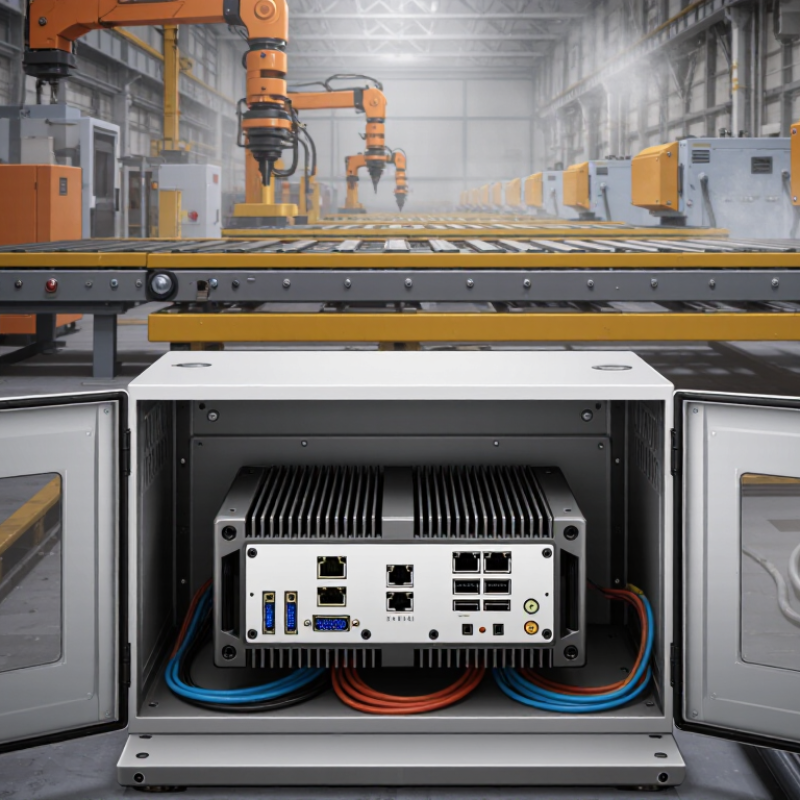
Illustrative interface targets for a compact industrial system: two 1 GbE ports for network connections, four USB ports for peripherals, two serial ports for legacy equipment, and one PCIe slot for expansion. Actual requirements depend on the devices and applications being connected.

Match the Environment: IEC 60529 IP67 Covers 1 m Immersion for 30 Minutes

When choosing an embedded industrial computer, treat IP67 as a test rating, not a promise against every wet environment. Under IEC 60529, the “6” indicates dust-tight protection, while “7” covers temporary immersion in water up to 1 metre for 30 minutes. That limit is specific. It does not describe deeper water, repeated submersion, or high-pressure washdown. A cabinet beside a coolant line may face a different risk from a device mounted outdoors in rain.

Check the test conditions against the installation. A loose cable gland, damaged seal, or poorly seated connector can become the weak point, even when the computer enclosure carries an IP67 rating. IEC 60529 is the authoritative reference for these enclosure classifications; the rating alone does not certify the complete system. Ask for the test documentation and confirm which ports and covers were fitted during testing. Then consider temperature changes, vibration, cleaning chemicals, and maintenance access. Small details matter. In practice, engineers sometimes focus on the enclosure and overlook the cable entry. I would check that twice. A one-metre immersion test offers useful evidence, but real installations are messy, and the rating cannot replace a site-specific assessment.

Verify EMC Resilience: IEC 61000-4-2 Level 4 Tests 8 kV Contact ESD

When choosing an embedded industrial computer, check its ESD evidence, not just the enclosure. IEC 61000-4-2 Level 4 requires 8 kV contact discharge. Its 2008 test waveform specifies a peak current of about 30 A, rising in roughly 0.8 nanoseconds. That is a sharp pulse. It can upset exposed ports, reset a processor, or corrupt a sensor reading.

Ask for the actual test report. It should identify the tested configuration, discharge points, polarity, and operating state. The IEC standard also defines 15 kV air discharge for Level 4, but that does not replace the 8 kV contact test. During evaluation, watch the console and connected equipment for resets, lost data, or communication faults. A green status light is not enough. Small details matter.

A pass applies to the tested setup, not every installation. Cable length, grounding, and nearby metal can change the discharge path. One uncomfortable detail: a test report may not reflect your cabinet. Compare its mounting and cabling with your own, and retest when the installation differs substantially.

I would also ask whether the computer recovered automatically after exposure. Recovery behavior can matter as much as survival.

Validate Power and Service Life: Confirm Input Range, 24/7 Rating, and Support

When choosing an embedded industrial computer, match its input range to the power actually available at the installation site. A nominal 24 V supply may dip during motor startup or rise under light load. Check the computer’s specified operating limits, then compare them with measurements taken during real operating conditions. Leave practical margin; a unit that barely meets the limits may reset when the environment gets noisy.

Continuous operation needs more than a “24/7” label. Confirm that the rating applies to your expected workload, ambient temperature, and enclosure. Heat builds up inside sealed cabinets, especially near drives and power supplies. Review thermal derating details and storage or component-life estimates where available. Small detail, big consequence. I still think this is easy to overlook: a fanless design can reduce maintenance, but it does not remove the need to manage heat.

Service life also depends on support after installation. Ask how long compatible replacements, firmware updates, and repair services are expected to remain available. Check the warranty terms and typical response process before deployment, not during a production outage. Keep the answers in writing. A computer may run reliably for years, yet a short replacement window can make it difficult to maintain the system. The right choice is the one whose power limits, continuous-duty conditions, and support horizon fit the site’s actual needs.

PFC CONTROLS
1638 NW 108TH AVE. MIAMI, FL 33172
Sales: (305) 593-0227
Tech: (305) 546-3965

Copyright, All rights reserved
Back to content