What Are Computer Graphic Design Images?
Computer Graphic Design Images are visual assets made or edited with digital tools. They can include logos, illustrations, icons, social media graphics, and product visuals. Some are drawn from individual shapes and lines. Others combine photographs, typography, color, and layered effects. The distinction matters. A small app icon has different needs from a large exhibition banner. Each image should suit its purpose, audience, and display size.
Understanding how these images work begins with a few practical details. Designers consider composition, contrast, color, and file type. Resolution affects whether an image looks crisp on a screen or becomes blurry when enlarged. Vector graphics can scale smoothly, while raster images use pixels and may lose detail at larger sizes. The right choice depends on the project. A polished effect is not automatically a clear design; that is easy to overlook. Small details matter. This guide explores what Computer Graphic Design Images are, how they are created, and where they are commonly used. It also introduces key design principles and file formats, helping readers recognize what makes an image effective. There is no single style for every brief, and even experienced designers may revise a choice after seeing it in context. That is part of the work.
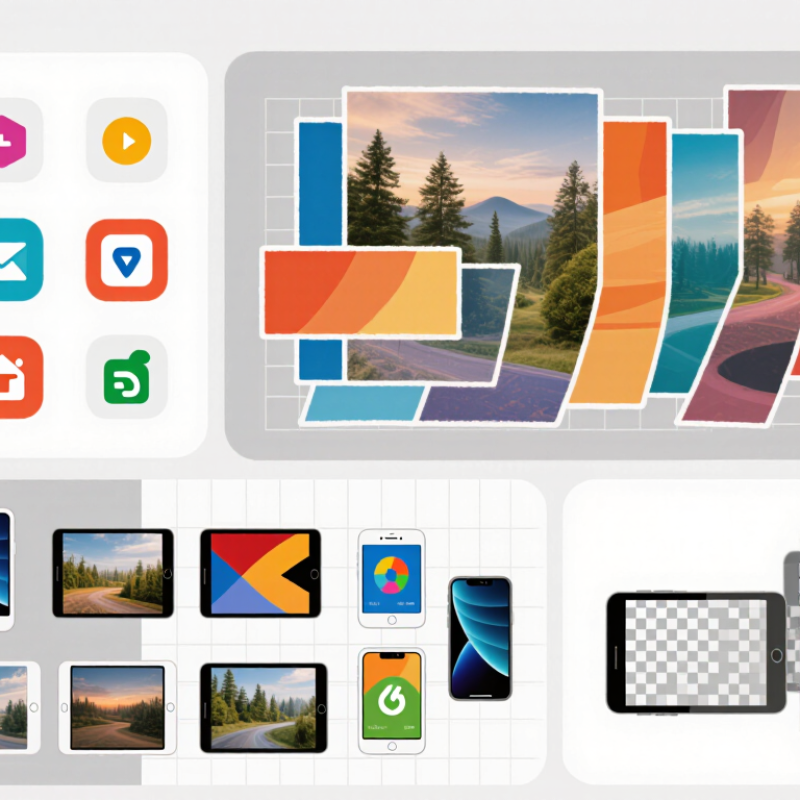
What Computer Graphic Design Images Are
Computer graphic design images are visual assets created or arranged with digital tools to communicate an idea, identify information, or shape a viewer’s response. They can be photographs, illustrations, icons, charts, or complete layouts. Some are raster images, built from tiny colored pixels; others are vector graphics, defined by paths that stay sharp when enlarged. A phone icon on a settings screen and a labeled diagram in a safety guide are both examples. Their purpose differs, but each relies on deliberate choices in color, scale, spacing, and detail. Small choices matter.
A useful image does more than look attractive. It directs attention, supports readable text, and fits the place where it will appear, whether on a screen or a printed page. A pale label may disappear against a white background; an overly detailed chart can hide its main point. Designers test size, contrast, and legibility in the actual viewing context. There is room for judgment, and not every polished image communicates clearly. The U.S. Bureau of Labor Statistics’ Occupational Outlook Handbook projects 2% employment growth for graphic designers from 2023 to 2033, with about 21,100 openings each year. That figure describes the occupation, not demand for any single image, but it reflects ongoing work across visual communication.
Computer Graphic Design Images: Print-Ready Pixel Requirements
Approximate image resolution for common print sizes at 300 pixels per inch (PPI).
Pixel dimensions are calculated from each print size at 300 PPI. Megapixel values are rounded; actual requirements may vary depending on viewing distance and print workflow.
The Visual Elements That Shape Graphic Design Images
What Are Computer Graphic Design Images?
The Visual Elements That Shape Graphic Design Images
Computer graphic design images combine visual elements to communicate an idea on a screen or page. A simple poster, for example, might pair bold lettering with a pale background and one vivid red shape. Each choice affects what viewers notice first. Small choices matter.
Line and shape create structure. Color can suggest warmth, urgency, or calm, but its effect depends on context and contrast. Texture adds character: a grainy surface may feel handmade, while a smooth gradient feels more polished. Empty space matters too. It gives important elements room to breathe and helps prevent a crowded layout.
Typography carries meaning beyond the words themselves. A large, heavy heading feels different from a narrow, delicate one. Designers use size, spacing, and alignment to build visual hierarchy, guiding the eye through an image. Yet a technically tidy layout can still feel flat. That usually means the elements are competing, or the main idea is unclear. I sometimes notice this only after stepping away and viewing the image at a smaller size. A quick check helps: can someone identify the focal point in a few seconds? If not, the composition may need fewer competing details, not another decorative effect.
How Graphic Design Images Are Created
What Are Computer Graphic Design Images?
How Graphic Design Images Are Created
Computer graphic design images are made by arranging visual elements to communicate an idea. The process often starts with a clear brief: who needs the image, where it will appear, and what viewers should notice. A designer may sketch several layouts before opening design software. Rough ideas help reveal problems early. A tiny sketch can save time later.
Next, the designer builds the image from shapes, photographs, lettering, color, and texture. Vector shapes work well for crisp icons and logos because they can scale without becoming blurry. Raster images, made of pixels, suit detailed photographs but need enough resolution for their intended size. A designer checks contrast and spacing on screen, then tests the artwork at its actual viewing size. A heading that looks readable on a large monitor may feel cramped on a phone.
The first draft is rarely perfect. Sometimes a bright color attracts attention but weakens readability; changing it can improve the design, though it may also flatten the mood. Designers adjust, compare, and ask for specific feedback rather than relying only on taste. They also export the file in a format suited to its use, such as a compact image for a website or a high-resolution file for print. Small checks matter: clipped edges, uneven margins, and fuzzy text are easy to miss.
Common Types of Graphic Design Images
What Are Computer Graphic Design Images?
Common Types of Graphic Design Images
Graphic design images include visual elements made or arranged to communicate an idea. Raster images are built from tiny colored pixels. Photographs and textured artwork often use this format. Enlarge a small raster file too far, and its edges may look blocky. Vector graphics use paths and shapes instead, so logos, diagrams, and simple illustrations can stay crisp at different sizes.
Illustrations bring a distinctive mood to a page, from a hand-drawn leaf to a clean technical diagram. Typography can also work as an image: letterforms may become expressive shapes in a poster or cover. Icons simplify familiar objects into compact symbols. They are useful on screens, but unclear icons can leave people guessing. Infographics combine labels, numbers, and visuals to explain information, such as a chart showing monthly rainfall. Photographic images add real-world detail, though lighting and cropping can affect how clearly they support the message.
These types often overlap. A single event poster might pair a photograph with vector shapes and large lettering. The best choice depends on where the image will appear, how much detail it needs, and whether viewers can read it quickly. A crowded graphic can still look attractive, yet its message may get lost. Test the image at its actual display size, not only on a large editing screen.
Where Graphic Design Images Are Used
Computer graphic design images appear wherever information needs to be noticed, understood, or remembered. On a website, a clear icon can help visitors find a search box or shopping cart without reading every label. In an online shop, product illustrations and comparison charts can show size, texture, or key differences. Small details matter: a shadow may suggest depth, while a crowded layout can hide the most useful information.
These images also shape printed menus, event posters, package labels, and classroom materials. A transit map uses color and line weight to make routes easier to follow. A presentation graphic can turn a page of figures into a chart people can scan during a meeting. At a clinic, a simple diagram may explain where to place a bandage or how to use equipment. Less can be more. Still, an image that looks polished may confuse someone if its symbols are unfamiliar or its text is too small. Designers need to check how images work at actual sizes and on different screens, not just on a large monitor. That step is easy to overlook. Feedback from real viewers can reveal gaps that careful design alone may miss.
What Are Computer Graphic Design Images? - Where Graphic Design Images Are Used | Image Type | What It Is | Common Uses | Typical File Formats | Key Considerations |
| Vector illustration | Artwork made from mathematical paths, shapes, and fills rather than a fixed grid of pixels. | Logos, diagrams, maps, packaging artwork, and illustrations that need to work at different sizes. | SVG, EPS, PDF, AI | Scales without becoming pixelated. Some formats may require suitable software to edit. |
| Raster photograph | An image made from pixels, commonly captured by a camera or created through digital painting. | Web pages, editorial layouts, posters, social media graphics, and product imagery. | JPEG, PNG, TIFF, WebP | Resolution matters: enlarging a raster image beyond its available pixel dimensions can reduce image quality. |
| Icons and interface graphics | Small visual symbols that represent actions, objects, or information in a digital interface. | Apps, websites, dashboards, navigation menus, and instructional materials. | SVG, PNG, WebP | Use clear shapes and consistent stroke weight. Check that icons remain legible at their intended display size. |
| Infographic and data visualization | A visual arrangement of charts, labels, symbols, and explanatory text used to communicate information. | Reports, presentations, educational resources, articles, and public information materials. | SVG, PDF, PNG, JPEG | Keep labels readable and represent data accurately. Provide context so viewers can interpret the information. |
| Texture and pattern | A repeating or surface-like visual element used to add depth, detail, or visual consistency. | Backgrounds, textile and surface designs, product packaging, and decorative layouts. | PNG, JPEG, TIFF, SVG | Consider repeat edges, image resolution, and contrast with any text placed over the design. |
| Typography-based graphic | A composition in which letterforms and text are treated as prominent visual elements. | Posters, title cards, signs, covers, and promotional or editorial layouts. | PDF, SVG, PNG, JPEG | Maintain readable contrast and hierarchy. When sharing artwork, check font licensing and rendering requirements. |