Concert Led Screens shape how audiences see a live performance, from the front row to the back of a crowded arena. They can display close-up camera feeds, animated visuals, lyrics, and sponsor content. Yet a screen that looks impressive in a product photo may not suit a particular stage. Viewing distance, stage design, ambient light, and production needs all affect the choice.
This guide explores the main types, including central LED video walls, side screens for live camera images, LED backdrops, floor displays, and transparent panels. Each serves a different purpose. A large main wall creates visual impact, while side screens help distant fans follow performers’ expressions. Floor panels can extend visuals into the stage, but they need careful planning for performer movement and surface safety. Transparent displays may preserve sightlines, though their appearance depends on lighting and content.
Technical details matter. Pixel pitch influences how sharp an image looks at a given distance; brightness, refresh performance, processing, and installation also deserve attention. Outdoor setups need equipment rated for expected weather, not guesswork. Real venues are messy. A smaller screen can sometimes work better than a bigger one, and budget trade-offs are not always obvious. The sections ahead compare these options and explain what to consider before choosing. No single type fits every concert.
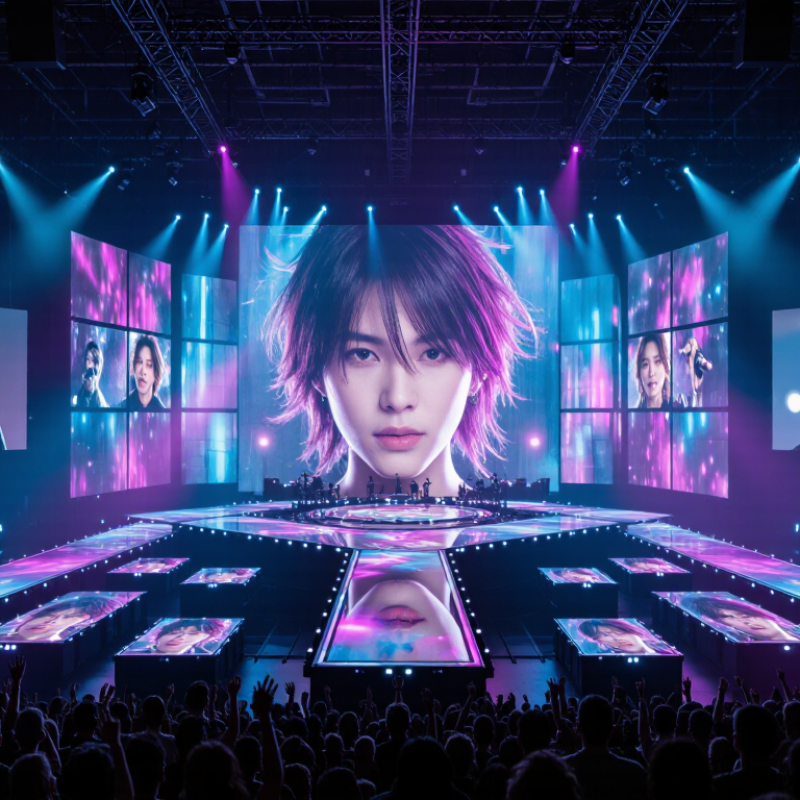
Main-stage LED screens give performers a clear visual backdrop and help distant audience members follow key moments. They can display live camera feeds, lighting-friendly graphics, or close-up details that would otherwise be hard to see. At an outdoor festival, a screen may need greater brightness to remain readable in daylight. Indoors, glare and sightlines often matter more. Details matter. Pixel pitch should suit the typical viewing distance: a very fine pitch may add cost without noticeable benefit from the back rows.
A video wall can span the stage, form side screens, or create separate visual zones. Its layout affects more than appearance. Screens placed too far apart may split attention, while a wall that is too tall can block lighting or scenery. Not every venue needs one. Camera framing also deserves a test before the event; faces and text can look different on a large display than on a laptop.
Reliable planning includes checking power, signal routing, rigging limits, and backup playback. A qualified crew can review these needs with the venue and content team. Brightness should be tested under actual stage lighting, not guessed from a specification sheet. Even careful plans can miss small issues, such as captions landing behind stage scenery. A taped floor plan and a full-scale content preview can catch some of them.
Side screens extend the stage image toward audience areas beyond the main screen’s comfortable viewing angle. They are often positioned beside the stage, angled inward, and sized to avoid blocking performers or sightlines. At an outdoor show, a guest near the far side may see close-up camera shots instead of distant figures. Delay screens serve people farther back, where the stage can appear small or become partially obscured. Their placement should reflect actual audience views, not just a neat venue map.
Tips: Walk the venue before fixing screen positions. Check sightlines from the sides and rear, and test brightness in daylight. Keep screen content readable from the expected viewing distance. Small text rarely works.
Screen placement is only part of the job. Camera framing, playback timing, and audio coverage need coordination, especially across long fields or temporary seating areas. A screen that feels well-positioned during rehearsal may still disappear behind a lighting structure once the full rig is installed. That can be easy to miss. Allow time for a real sightline check, then adjust height or angle where needed. Side and delay screens work best when they extend the live experience without pulling attention away from the stage.
LED floor screens turn the stage itself into part of the performance. A dancer’s step can trigger a ripple, while a musician crossing the platform might reveal a trail of light. These effects work best when visuals respond quickly and remain clear under moving feet. For dependable use, panels need a stable surface, suitable load ratings, and a finish that helps performers keep their footing. Brightness also matters: a vivid floor can compete with faces and instruments if it is set too high.
Interactive effects may use cameras, pressure-sensitive elements, or other tracking systems to connect movement with graphics. The creative team should test timing during rehearsals, not just on an empty stage. Even a slight delay can make a response feel disconnected. Not always. A simple pulse beneath a performer may read better than a complicated animation. Technicians also need to check panel seams, cable paths, and viewing angles, since small setup issues can show clearly on camera. Floor screens are powerful, but they do not make every cue better. Some visuals may distract, and that is worth reconsidering before showtime.
| Screen Type | Typical Placement | Common Pixel Pitch | Primary Use | Interactive Stage Potential | Key Planning Consideration |
|---|---|---|---|---|---|
| Main LED Wall | Behind the performers, usually at the rear of the stage | About 2.6–6.0 mm, depending on viewing distance and screen size | Large-scale visuals, live camera feeds, graphics, and show backgrounds | Can display visuals synchronized with lighting, music, and stage cues | Choose pixel pitch based on the closest audience viewing distance and the camera requirements. |
| Side Screens | On one or both sides of the stage | About 2.6–6.0 mm | Live image magnification, lyrics, and supporting visuals for distant seating areas | Can show alternate camera angles or content coordinated with the main wall | Position and angle screens so audience members have a clear sightline without obstructing the stage. |
| LED Ribbon or Band Screens | Along stage edges, set pieces, or architectural borders | About 3.9–10 mm, depending on screen dimensions and viewing distance | Color accents, motion graphics, text, and visual framing | Useful for animated effects that travel around or across the stage | Content should be designed for the screen’s long, narrow aspect ratio. |
| Transparent LED Mesh | In front of scenic elements or as a layered stage backdrop | Varies by mesh design; commonly coarser than close-viewing indoor panels | Visual overlays that retain some visibility through the screen | Allows performers and scenery to remain visible while graphics are displayed | Brightness, viewing angle, transparency, and the background behind the mesh all affect the image. |
| LED Floor Screen | On the stage floor, runway, or selected performance areas | About 2.6–6.25 mm in many close-viewing installations | Floor graphics, simulated depth, patterns, and visual transitions beneath performers | Can respond to movement or playback cues when paired with suitable sensors and control systems | Use floor-rated panels with an appropriate protective surface; confirm load limits, slip resistance, and maintenance requirements for the specific system. |
| Overhead LED Screen or Ceiling Display | Above the stage or audience area | About 3.9–10 mm, depending on height and viewing distance | Overhead visuals, immersive scenes, and imagery visible from multiple parts of the venue | Can extend stage effects above performers and coordinate with floor or backdrop content | Rigging, venue limits, sightlines, and safe access for installation must be planned by qualified professionals. |
| Note: Pixel-pitch figures are indicative ranges, not universal specifications. The suitable pitch depends on audience distance, screen size, camera use, brightness, and the display system. Interactive floor effects also require compatible control or tracking equipment; the screen alone does not detect movement. | |||||
Transparent and mesh LED screens turn stage surfaces into part of the design. Transparent panels can sit behind performers or across scenic frames, preserving sightlines to lighting rigs and set pieces. Mesh screens work well on tall trusses and outdoor stages, where airflow and a lighter visual footprint matter. The effect can feel almost weightless.
The formats behave differently. Transparent screens reveal what sits behind them, but bright backgrounds can wash out images and reduce contrast. Mesh screens handle large surfaces with less visual blockage, though fine text and detailed graphics may look less crisp. Check pixel pitch, viewing distance, ambient light, and structural loading before choosing a layout. Small tests help.
Grand View Research’s LED display market report projected an 8.4% compound annual growth rate from 2023 to 2030. That figure covers the wider LED display market; it does not prove demand for transparent or mesh screens specifically. There is a catch. A beautiful, see-through wall may appear visually busy once stage lights, cables, and movement show through it. Mock up the content at the audience’s actual viewing angle, then adjust brightness and spacing.
Curved and modular LED screens let production teams shape visuals around the stage rather than rely on one flat wall. A gentle curve can carry imagery toward the audience at the sides, while modular panels can form towers, wings, or staggered backdrops. That changes the room’s feel. Even a modest arc can make a compact stage appear deeper, provided the viewing angles remain clear.
The practical work starts with the stage plan. Crews need to check panel dimensions, support points, cable routes, and the screen’s total weight before installation. Content must also be designed for the shape: a straight line across a curved surface may look bent, and text near the edges can become harder to read. Test the layout from several audience positions. Front-row sightlines do not tell the whole story.
Modular construction offers flexibility, but more joints mean more places to inspect and align. Technicians should check seams, brightness, and color across each section before doors open. Not every stage needs a curve. A large sweep can distract from performers or demand extra rigging, so the design should earn its complexity. Sometimes a smaller arc works better. It is easy to overestimate how much screen the room can use.
Qualitative comparison of how readily each screen type can accommodate different stage shapes and configurations. Scores use a 1–5 scale; they are comparative ratings, not measured industry statistics.