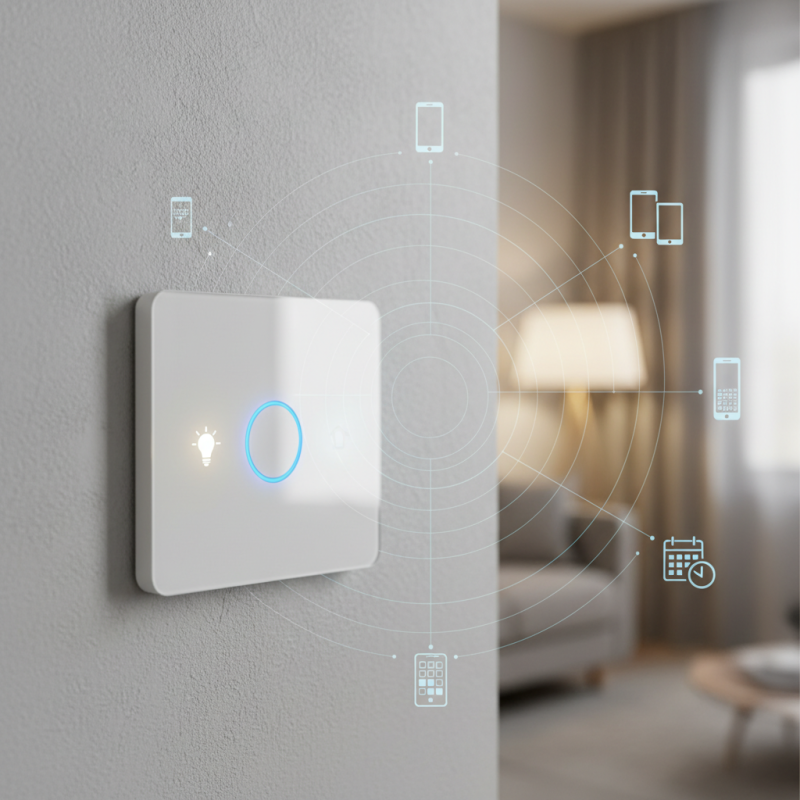
What is a Wifi Smart Switch and How Does It Work?
A Wifi Smart Switch is a new way to control your home's lighting. It connects to your WiFi network, allowing you to operate your lights remotely. This device is becoming a staple in many smart homes.
Imagine being able to turn your lights on or off from anywhere. You can do this with a Wifi Smart Switch. It offers convenience and energy efficiency. You can even set schedules for your lights, creating a cozy atmosphere.
However, there are challenges. Not all devices are compatible. Installation can sometimes be tricky. You might also face connectivity issues. As technology advances, understanding the Wifi Smart Switch's role in our lives is essential.
What is a Wifi Smart Switch?
A WiFi smart switch is a device that allows you to control your home’s lighting and power devices remotely. It connects to your WiFi network, enabling you to manage it through a smartphone app. This technology offers convenience by allowing you to turn lights on or off from anywhere.
Using a WiFi smart switch can transform how you interact with your home. Imagine waking up and ensuring the lights are on, all without leaving your bed. You can set schedules for your lights, which is helpful for energy saving. Some people may struggle with installation, especially if they are not tech-savvy. It might take time to figure out what works best for your setup.
In addition, while WiFi smart switches can simplify daily routines, they come with challenges. Home networks can be unreliable, causing smart switches to disconnect. Also, privacy concerns arise when devices collect data. Being aware of these issues is essential for anyone considering smart technology in their life.
Key Features of Wifi Smart Switches
A WiFi smart switch controls your home's lighting and appliances remotely. It connects to your home WiFi network, allowing for convenient management through smartphone apps. This technology makes everyday tasks easier and more efficient.
One key feature of WiFi smart switches is scheduling. You can set specific times for lights to turn on or off automatically. This function is great for saving energy and enhancing security. Imagine your lights coming on right before sunset. It feels comforting, and it's a simple pleasure.
Another important feature is voice control. Many smart switches work with virtual assistants. You can simply speak your commands to manage your devices. However, the voice recognition may not always work perfectly. It sometimes requires rephrasing or additional attempts.
Tip: Ensure your WiFi connection is stable for smooth operation. Unreliable WiFi can lead to frustration. Also, think about the placement of your smart devices. If they are too far from the router, connectivity issues can arise.
When choosing a switch, consider the design. Not all switches fit seamlessly into existing decor. Some may stand out awkwardly. It's worth taking time to find the best fit for aesthetics and functionality.
How Wifi Smart Switches Function
WiFi smart switches offer a modern solution for home automation. These devices enable remote control of lights and appliances via a smartphone app. They connect to your home WiFi network, allowing users to operate devices from anywhere. Simply install the switch and connect it to the app. This process might be tricky for some. Instructions can be overwhelming.
How do these switches function? They communicate through signals sent over the WiFi network. Once installed, you can use your smartphone to turn devices on or off. Voice commands are also an option if linked with smart assistants. You might find that responding to voice commands doesn’t always go smoothly. Interference from other devices can happen, leading to delayed responses.
Another interesting aspect is scheduling. You can set timers for when to turn lights on or off. This is great for security as it gives the illusion of occupancy. However, unexpected outages can reset the schedules. A continuous power supply is essential for keeping your smart switch operational. The world of smart switches is evolving but still has growing pains.
Benefits of Using Wifi Smart Switches at Home
Wifi smart switches are becoming popular in modern homes. These devices allow you to control your lights and appliances remotely through your smartphone or tablet. Imagine adjusting the brightness of your living room lights without getting up from the couch. This adds a layer of convenience that many people find appealing.
One significant benefit of using Wifi smart switches is energy efficiency. You can schedule your lights to turn off when you're not home. This helps reduce electricity bills. Another advantage is improved security. You can set lights to turn on while you are away, creating the illusion that someone is home.
However, it's not all perfect. Some users struggle with connectivity issues. Interference can disrupt performance. It can be frustrating when your smart switch does not respond.
Customization is also a big draw. You can create scenes for different activities, like movie nights or family gatherings. But the setup process can be complicated for some. Navigating through apps and connecting devices might be overwhelming. It's important to plan accordingly to avoid these hiccups. Embracing technology means adapting and learning along the way.
Setting Up and Configuring a Wifi Smart Switch
Setting up a WiFi smart switch can be a straightforward process. First, ensure you have a stable WiFi connection. According to industry reports, smart home devices rely heavily on WiFi stability. A disrupted connection can lead to frustrating experiences.
Next, download the accompanying app that pairs with the switch. During the setup, be ready to input your WiFi credentials. Make sure you use a strong password for security. In fact, data suggests that nearly 30% of smart device issues stem from poor password management.
Tip: Keep your app updated. Manufacturers often release updates to improve performance and security. Regular updates enhance functionality and ensure a smoother experience.
Once the switch is connected, configure it through the app. You can set schedules, remotely control the switch, and even integrate it with other smart devices. However, it's crucial to reflect on privacy settings. A surprising number of users overlook these. Failing to do this can expose your network to vulnerabilities.
Tip: Regularly review your privacy settings. Knowing who has access to your devices is vital for maintaining control over your smart home environment.